

How to Use AI Coding Agents Like a Pro
How to Use AI Coding Agents Like a Pro
AI coding agents can do far more than generate code. Discover seven practical ways to delegate development tasks, manage context, build reusable workflows, and make AI-assisted software development more reliable.
Software Development
November 24, 2026

Pritimoy Biswas
Senior Software Engineer specializing in AI-assisted software development, agentic workflows, and engineering process optimization. Experienced in AI agent orchestration, context management, reusable skills, and integrating deterministic workflows for reliable automation. Skilled in translating software requirements into technical architectures and helping engineering teams adopt AI-powered development practices.

What Actually Separates Power Users From Casual Prompters
Most people’s first experience with an AI coding agent looks something like this:
Type a request. Get code back. Copy and paste it. Hope it works.
It’s a perfectly reasonable way to get started. But it barely scratches the surface of what modern AI coding agents can do.
AI agents can inspect codebases, work across multiple files, execute commands, run tests, and coordinate multi-step development tasks. Yet getting reliable results from them requires more than knowing how to write a good prompt.
After working with AI-driven development pipelines, converting requirements documents into architecture diagrams, conducting Claude Code enablement sessions for engineering teams, and designing reusable workflows, one pattern becomes clear:
The people who get the most out of AI agents aren’t necessarily better at prompting. They’re better at structuring work, providing context, defining boundaries, and verifying results.
Here are seven practical principles that separate casual AI users from people who use agents effectively.
01. Stop Treating It Like Autocomplete. Start Treating It Like a Teammate You Delegate To.
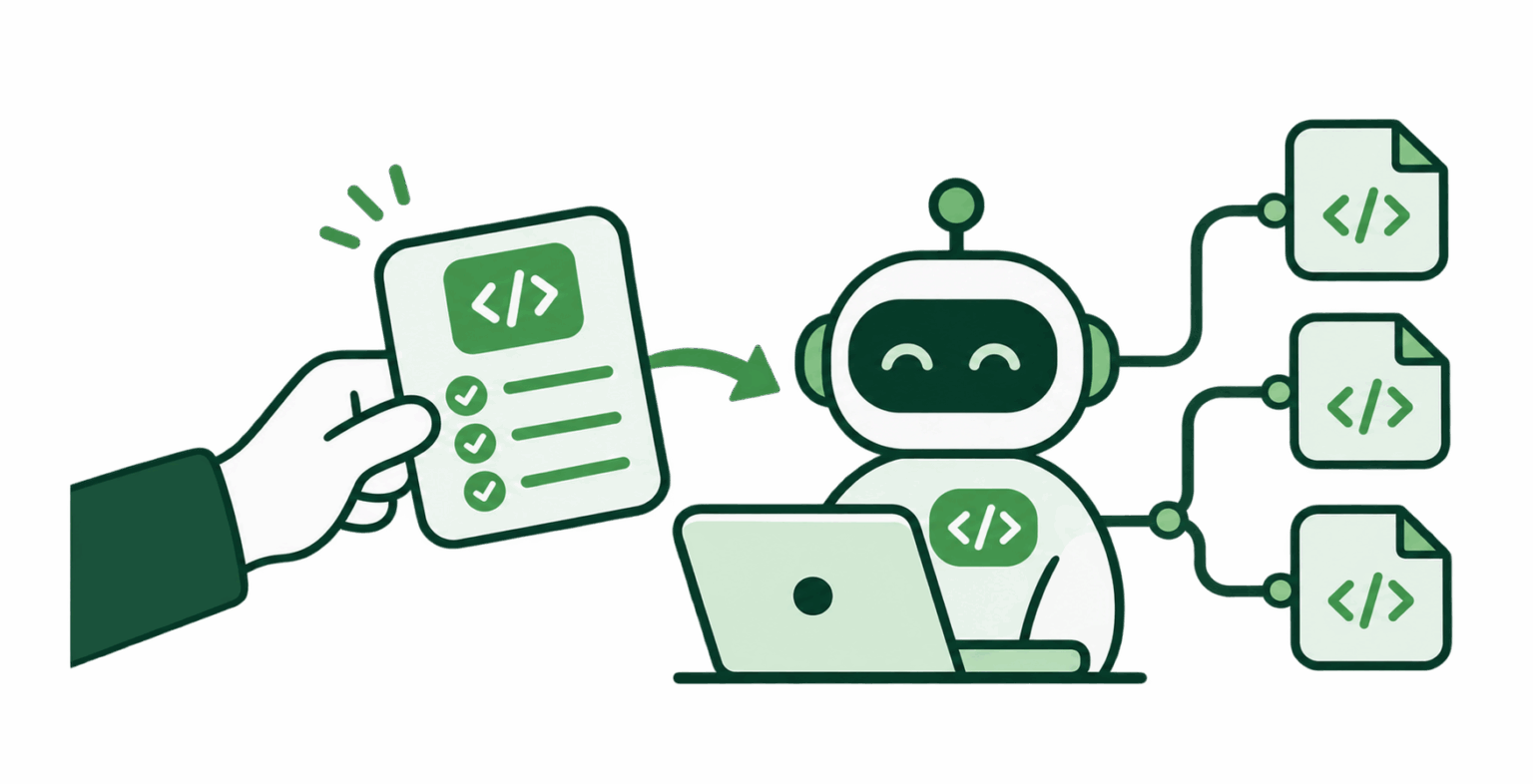
The biggest shift in working with AI agents is moving from suggestion to delegation.
Traditional IDE autocomplete tools typically suggest a line or block of code while you remain responsible for directing each step. An AI coding agent works at a different level.
It can inspect a project, understand relationships between files, make changes across the codebase, execute terminal commands, and run tests as part of a larger task.
For example, instead of asking an agent to write a single function, you could delegate a more complete task:
- Inspect the existing authentication system.
- Identify how user roles are currently managed.
- Implement a dashboard that displays transactions.
- Ensure regular users can only access their own records.
- Allow administrators to view and filter all users’ transactions.
- Run the relevant tests and report any issues.
The agent can work through the steps while you focus on the requirements and review the outcome.
If you’re approving every intermediate action without considering whether it needs your attention, you’re using an agent like a more sophisticated autocomplete tool.
The real productivity gain comes from giving it a well-scoped task, allowing it to work, and reviewing the result at meaningful checkpoints.
The shift is simple:
Don’t ask, “What should I type next?”
Ask:
“What can I delegate, and what should I review?”
02. Context Is the Real Skill. Not the Prompt.
People often spend too much time trying to find the perfect way to phrase a prompt.
Prompt wording matters, but a much bigger factor is often what information the model can access and how that information is organized.
An AI agent can only reason effectively about the project context it receives. Missing requirements, irrelevant files, and unclear constraints can all lead to incorrect assumptions.
In practice, good context management comes down to three things.
Give it structured input, not raw dumps
Consider a request such as:
“We need a login system, a dashboard with transactions and charts, and different access levels for administrators and regular users.”
The request communicates the general idea, but leaves several details open to interpretation.
A structured version gives the agent a much clearer scope:
## Feature: Authentication & Dashboard

### Entities
- User: Existing users table
- Fields: id, email, role
- Transaction: New entity

### Requirements
1. Use the existing users table for authentication.
2. Regular users can view only their own transactions.
3. Administrators can view all users' transactions.
4. Include a spending chart over time.
5. Support role-based access control.

### Out of Scope
- No new user registration flow.
- Authentication schema changes are not required.
The underlying request hasn’t changed. What has changed is the amount of guesswork required.
The structured version gives the agent defined entities, requirements, and boundaries to work with.
Point it at the right files, not everything
Giving an agent access to a large codebase doesn’t mean it needs to inspect every file.
Be specific about the relevant directories, existing implementations, documentation, and dependencies. This narrows the reasoning space and reduces the chance of unnecessary changes.
Persist context that matters
For projects that span multiple sessions, repeating the same architecture decisions and coding conventions wastes time.
Instead, maintain structured project context containing:
- Architecture and directory structure
- Coding conventions
- Important technical decisions
- Build and testing commands
- Known limitations and constraints
In Claude Code, project-level CLAUDE.md files can provide persistent instructions and context across sessions. The official Claude Code memory and project instructions documentation explains how this works.
The principle is straightforward: better context gives an agent a better foundation for making decisions.
03. Know What to Trust the Model With, and What Not to Trust It With
This is one of the most important lessons when building reliable workflows around language models:
Models are good at interpreting ambiguity and reasoning through complex information. They are not inherently reliable at producing exact, repeatable results.
That distinction matters.
What you can trust AI agents to help with
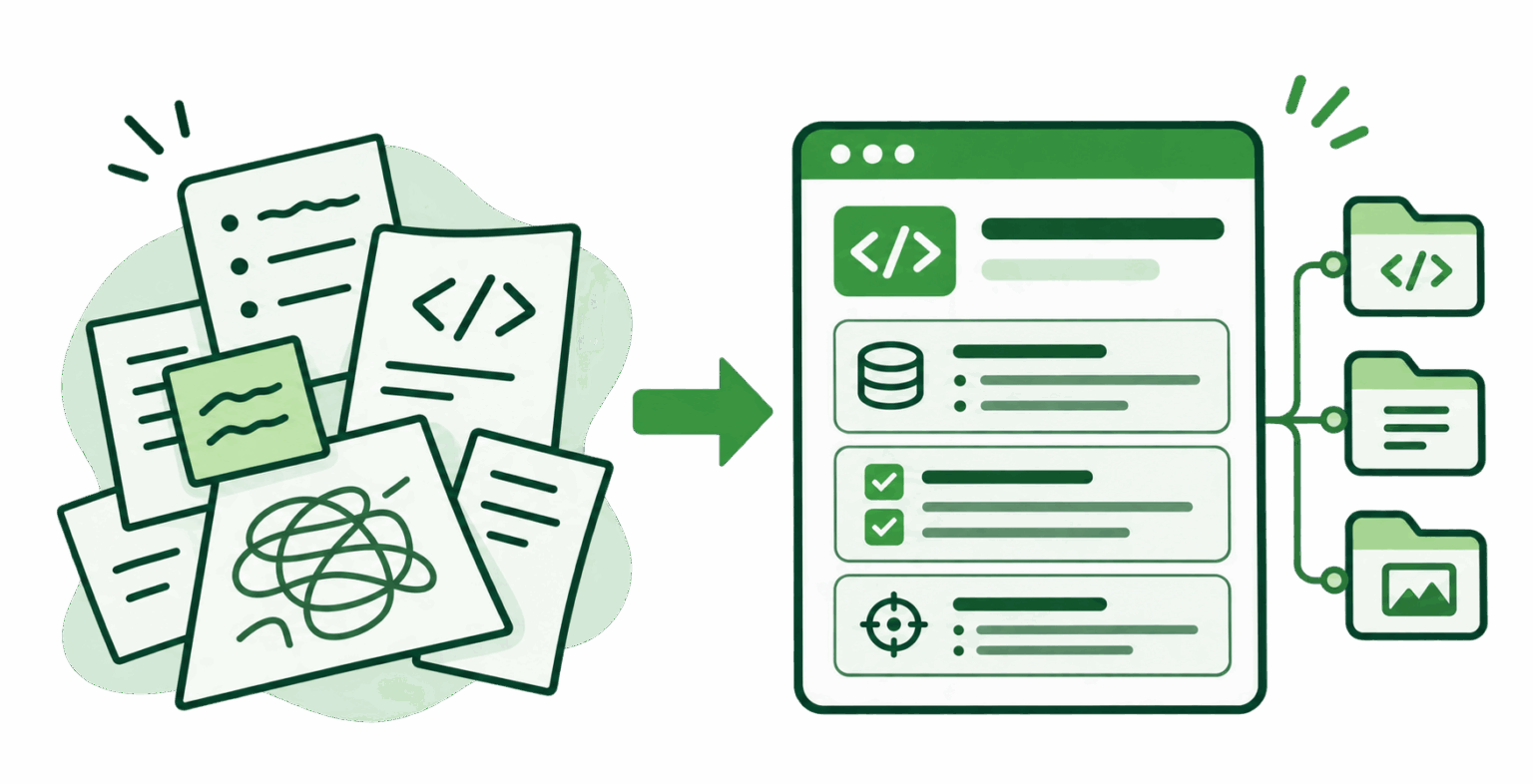
- Extracting structure from unorganized information
- Identifying relationships between system components
- Drafting implementation logic
- Summarizing technical documentation
- Generating an initial version of a solution
- Exploring possible approaches to a problem
What you should not trust blindly
- Pixel-perfect final output
- Results that must be identical across repeated executions
- Strict formatting or validation requirements
- High-stakes or irreversible actions without review
The solution isn’t to keep rewriting the prompt until the model becomes perfectly precise.
The solution is to introduce deterministic steps where precision matters.
For example, imagine asking an AI agent to turn a Software Requirements Specification (SRS) into an architecture diagram.
The model can interpret the requirements and generate a structured diagram definition. But a regular rendering tool should handle the final diagram generation, while a validator checks whether the structure is valid.
This creates a more reliable workflow:
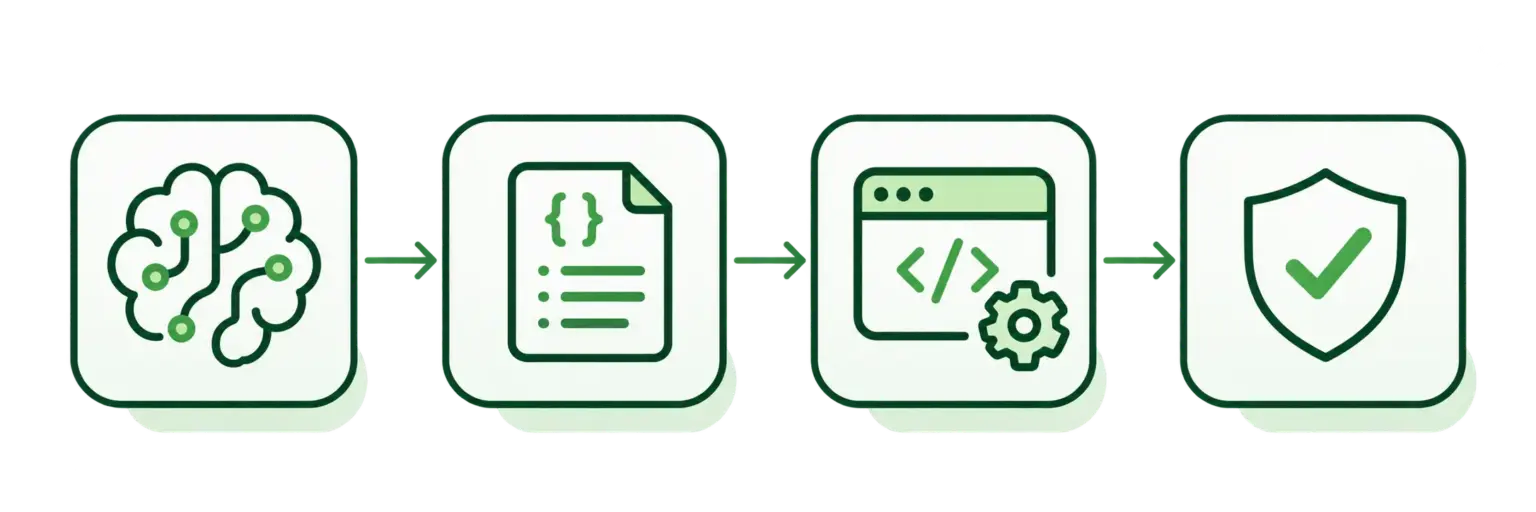
Model Reasoning → Structured Output → Deterministic Rendering → Validation
A simplified example:
# Step 1: Ask the model to produce structured output
diagram_syntax = ask_model(
    "Read this SRS and produce a Mermaid flowchart "
    "of the system components."
)

# Step 2: Render the structured output using code
render_diagram(
    diagram_syntax,
    output="architecture.png"
)

# Step 3: Validate before delivery
validate_syntax(diagram_syntax)
The model handles interpretation and structure. The rendering tool handles visual production. The validator catches malformed output before it reaches the final deliverable.
This separation makes the process more predictable.
If the final rendering step were also handled by another model call, the output could vary between runs. That might be acceptable for experimentation, but it is a poor foundation for a client deliverable that requires consistency.
Use AI for reasoning. Use deterministic systems for precision.
04. Build Repeatable Skills Instead of Repeating Yourself
If you find yourself writing a similar prompt for the third time, that’s a signal.
Not to write a better one-off prompt.
To turn the workflow into something reusable.
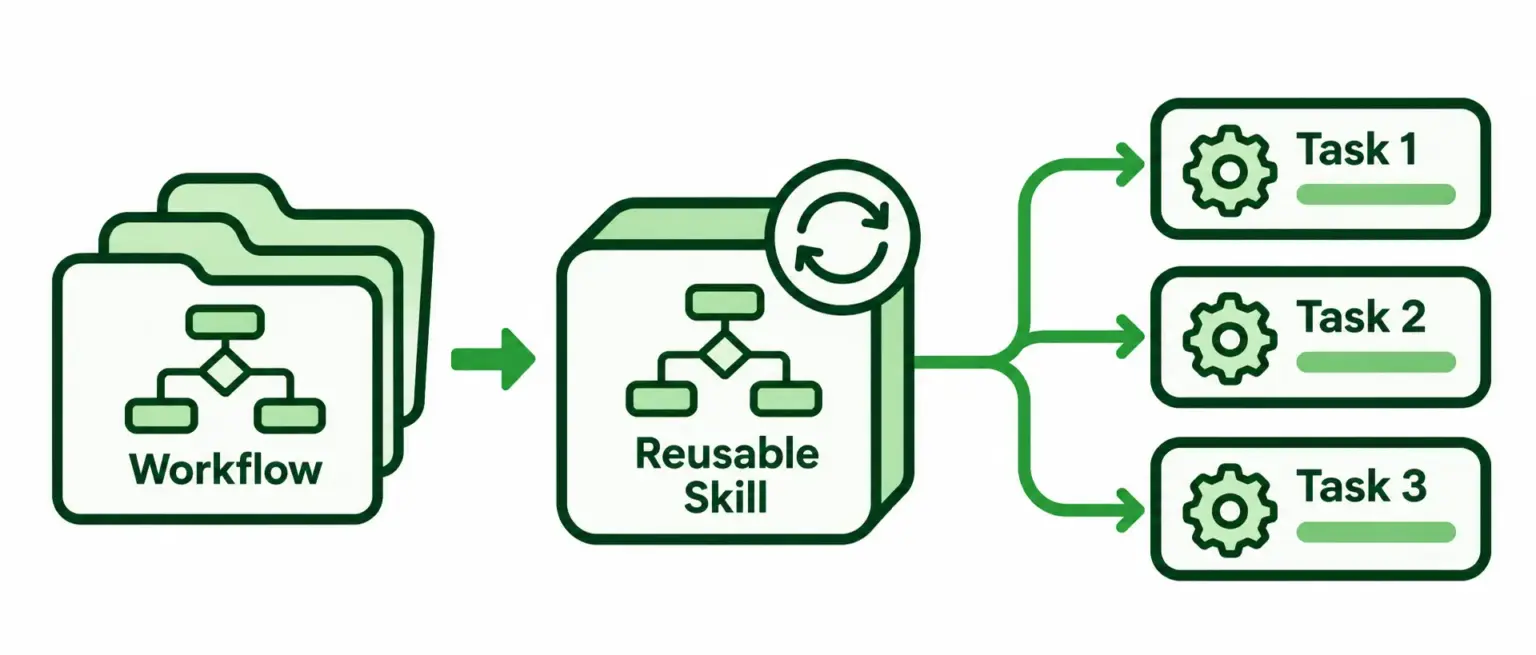
AI agents become much more useful when recurring tasks are packaged into defined workflows rather than recreated from scratch every time.
Claude Code supports this through its skills system. A skill packages instructions for a particular task, including its inputs, expected outputs, process, and limitations. Instead of explaining the entire workflow repeatedly, you can invoke the capability when it’s needed.
Think of a reusable skill the way you would think about a well-designed function or microservice.
It needs a clear contract:
- What goes in?
- What comes out?
- What does it not do?
For example, a team that regularly converts SRS documents into architecture plans could create a reusable skill for that process.
A simplified skill definition might look like this:
---
name: srs-to-architecture
description: Converts an SRS document into a structured
  technical plan and architecture diagram.
---

## Inputs
- SRS document (Markdown or plain text)
- Optional Figma link for visual reference

## Process
1. Extract entities, requirements, and constraints.
2. Organize the requirements into structured Markdown.
3. Generate the architecture diagram definition.
4. Render the diagram using a deterministic pipeline.
5. Validate the output before delivery.

## Known Limitations
- Large SRS documents may need to be split into smaller sections.
- Missing requirements must be flagged for clarification.
The exact implementation will depend on the agent and tools being used. The important part is defining the workflow once, making its boundaries explicit, and reusing it.
Claude Code’s official skills documentation explains how to create and use these reusable capabilities.
Teams that build a small library of well-scoped skills can reduce repetitive instructions and establish more consistent ways of working.
Teams that keep starting from a blank prompt have to solve the same setup problem again and again.
Don’t just reuse prompts. Reuse proven workflows.
05. Verify Like an Engineer, Not Like a Reviewer Skimming a PR
An agent-generated result that looks plausible and one that is actually correct are not the same thing.
That gap is where many problems appear in production.
AI agents can produce convincing explanations of work that still contain incorrect assumptions, incomplete implementations, or overlooked edge cases. A confident summary is not proof that the task was completed correctly.
A few engineering habits can catch problems early.
Let the agent verify its own work
Where possible, ask the agent to run tests, execute the code, lint the changes, and inspect the results.
Having an agent explain what it did is useful. Having it demonstrate that the implementation works is more useful.
Review diffs, not just summaries
An agent’s summary of its changes is not a substitute for reviewing the actual code.
Inspect the files it modified, check whether the changes match the requirements, and look for unexpected edits.
Checkpoint long-running tasks
For tasks involving multiple files or systems, review and commit changes incrementally.
This makes it easier to identify problems before they become buried in a large set of unreviewed modifications.
Be more skeptical when the output looks confident
Fluent explanations can make incorrect results appear reliable.
Models don’t necessarily express uncertainty in proportion to how uncertain they are. That’s why technical verification should never depend solely on how convincing an answer sounds.
The goal isn’t to distrust the agent.
It’s to give trust a verification mechanism.
06. Use the Right Tool for the Right Job. Don’t Force One Agent to Do Everything.
A capable AI agent with access to the right tools can do considerably more than generate code.
Depending on its configuration, it may be able to work with:
- Project files and source code
- Terminal commands and development environments
- Web search and external documentation
- Version control systems
- External applications and APIs
- Databases and internal business tools
One important technology behind these integrations is the Model Context Protocol (MCP).
MCP is an open protocol that standardizes how AI applications connect to external tools and data sources. It provides a common way for an AI application to interact with services without requiring every integration to be built from scratch. You can explore the official Model Context Protocol documentation to understand its architecture and capabilities.
GitHub+1
However, having access to a tool doesn’t mean an agent should use it without supervision.
Consider actions such as:
- Deploying an application
- Modifying a production database
- Sending external communications
- Changing production configuration
- Performing irreversible operations
These actions can have consequences beyond the development environment.
Even if an agent is technically capable of performing them, they deserve an explicit human checkpoint.
Tools such as Claude Code provide permission controls that help define which actions an agent can perform and when approval is required. See the Claude Code permissions documentation.
The objective isn’t to give an agent maximum autonomy.
It’s to give it the right level of autonomy for the task and its potential impact.
A good workflow allows an agent to handle routine, reversible work efficiently while keeping meaningful human oversight around sensitive decisions.
07. Teach the People Around You the Mental Model, Not Just the Tool
Introducing AI agents to an engineering team isn’t simply a matter of installing a tool and showing people how to write prompts.
Adoption often depends on a bigger change in how developers approach their work.
The engineers who adapt fastest aren’t necessarily the ones who read the most documentation or memorize the most commands.
They’re the ones who stop thinking:
“What do I type to get the right answer?”
And start thinking:
“What does this system need from me to do this reliably?”
The answer usually involves a combination of:
- The right context
- A clearly defined scope
- Appropriate tools and permissions
- A reliable verification process
- Human checkpoints where necessary
This is a mental model that can be taught, practiced, and improved across a team.
Internal enablement should therefore go beyond a single demonstration. Engineers need opportunities to work with real project requirements, delegate meaningful tasks, inspect agent output, and understand where human judgment remains essential.
The objective isn’t simply to get everyone using an AI tool.
It’s to help the team build reliable ways of working with AI.
The Pattern Underneath All of This
Every one of these principles leads back to the same idea:
An AI agent isn’t magic. And it isn’t just a chatbot with extra steps. It’s a system.
And systems need architecture.
The quality of an agent-driven workflow depends not only on the model, but also on the structure, context, tools, verification, and boundaries surrounding it.
The people using AI agents like a pro aren’t necessarily the ones who’ve discovered the perfect prompt.
They’re the ones who’ve stopped expecting the model to be the entire system.
The model is one component. The workflow around it is what makes it reliable.
Conclusion
Looking to Build Reliable AI-Powered Workflows for Your Engineering Team?
At Polygon Technology, we help businesses design and implement practical AI solutions, software systems, and automation workflows backed by experienced engineering teams.
Whether you’re exploring AI-assisted development or looking to introduce agent-driven workflows into your existing engineering processes, the right architecture can make the difference between an impressive demo and a solution your team can depend on.
Let’s build AI workflows that deliver practical results.
We use cookies to ensure that we give you the best experience on our website. If you continue to use this site we will assume that you are happy with it.AcceptPrivacy policy